Master Quick BI: Build Dashboards in 5 Steps

Master Quick BI: Build Dashboards in 5 Steps

🧰

Instant Toolkit

2 artifacts

📋
Step-by-Step Guide

1

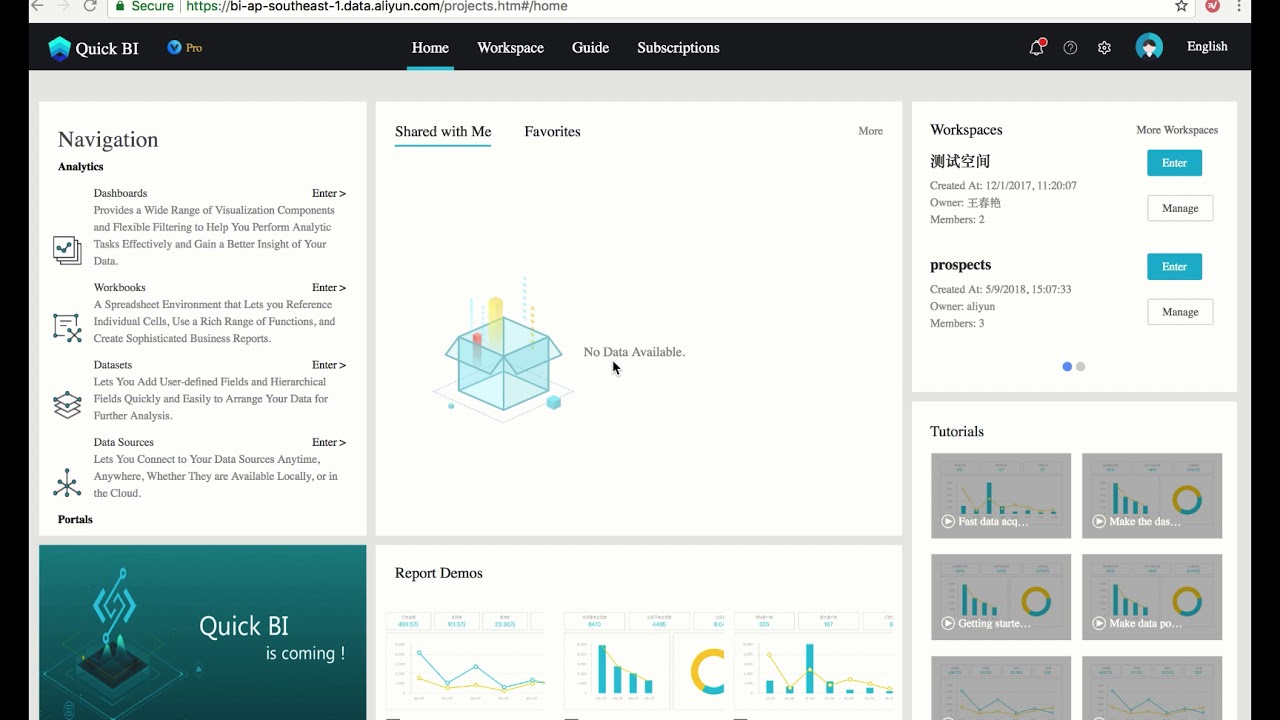
Begin by creating an Alibaba Cloud account and activating Quick BI.

  1. Visit Alibaba Cloud homepage and sign up for a free account using your email.
  2. Navigate to the Quick BI product page and click Try for free to start a 1-month Professional edition trial.
  3. Log in to the Quick BI console.
  4. Create a new workspace (group space for Pro edition) to start building.

This establishes your environment for hands-on learning.

Why this step matters:
  • -Provides access to the full Quick BI platform for practical exploration
  • -Enables creation of workspaces essential for data projects
15-30 minutes
Web browser, Email address, Alibaba Cloud signup
$0
Definition of Done
  • Alibaba Cloud account created and verified
  • Quick BI trial activated
  • Accessed Quick BI console and created a workspace
Common Mistakes to Avoid

Choosing wrong region during signup

Select region closest to your data sources (e.g., US East for low latency)

Skipping trial activation

Always click 'Try for free' on product page to enable Pro features

2

Following along, or just reading? 👀

Spin up a personalized “learn Quick BI” plan you can save, check off, and return to anytime — unlimited on the free trial.

Start free trial →
3
4
5